eTriage featuresInfection control

Infection screen feature

Identify patients at risk of having an infection within minutes of arrival. With the ever-changing risk of infectious disease outbreaks, eTriage has a generic infection screening page built into check-in.
Screened within minutes of arrivalFlagged at the top of the notesTailored end screens
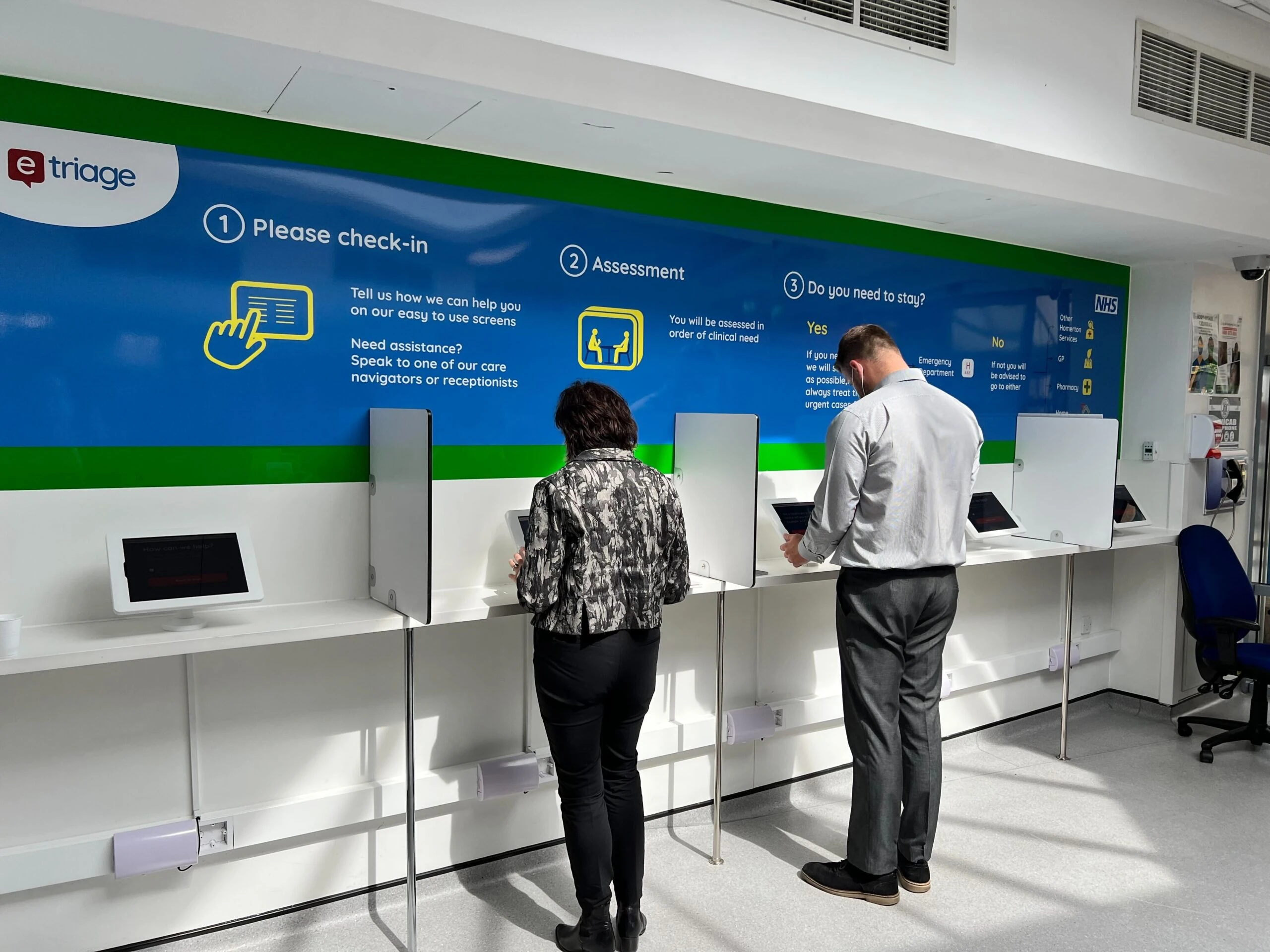
Patients checking in on a bank of eTriage tablets in an Emergency Department waiting room

The aim

Gain the information quickly,highlight it promptly

Patients entering the emergency department can be identified as being at risk of having an infection within minutes of arrival. The aim of the infection screen is to gain this information quickly and highlight it to clinical staff promptly, so action can be taken as per local policy if necessary.

1. Patient selects any symptoms
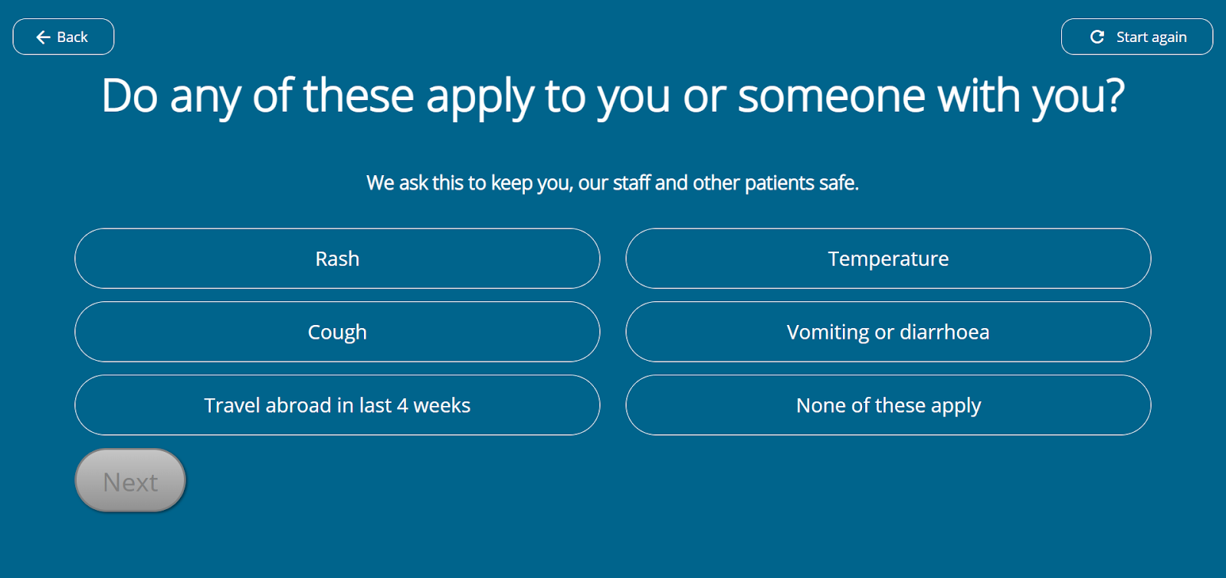
The most common symptoms. Patients are asked to select if they have any of the most common symptoms of infectious diseases.
Before clinical triage. The screen is shown after the patient has entered their personal details and before the clinical triage questions.
eTriage screen asking 'Do any of these apply to you or someone with you?' with rash, temperature, cough, vomiting or diarrhoea, travel abroad in last 4 weeks and none of these apply

2. Travel in the last 4 weeks

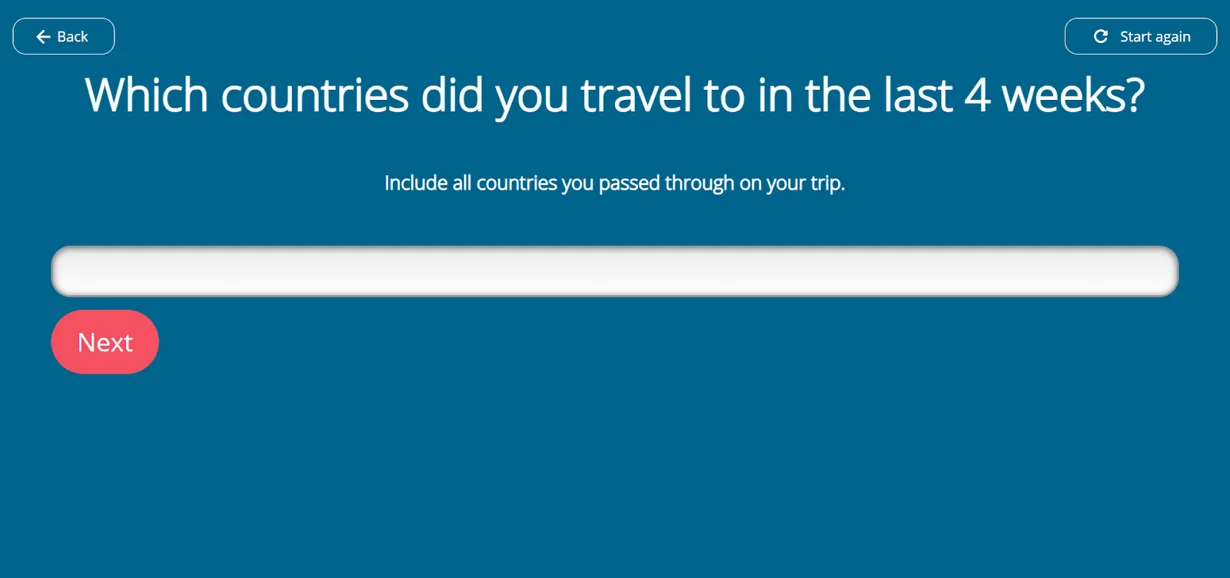
A follow-up screen. If the patient selects "travel abroad in last 4 weeks", a further screen asks which countries they travelled to.
Severity of risk. This helps nurses to determine the severity of risk that travel to a particular country may bring.
eTriage screen asking 'Which countries did you travel to in the last 4 weeks?' with a free-text box

3. A specific end screen

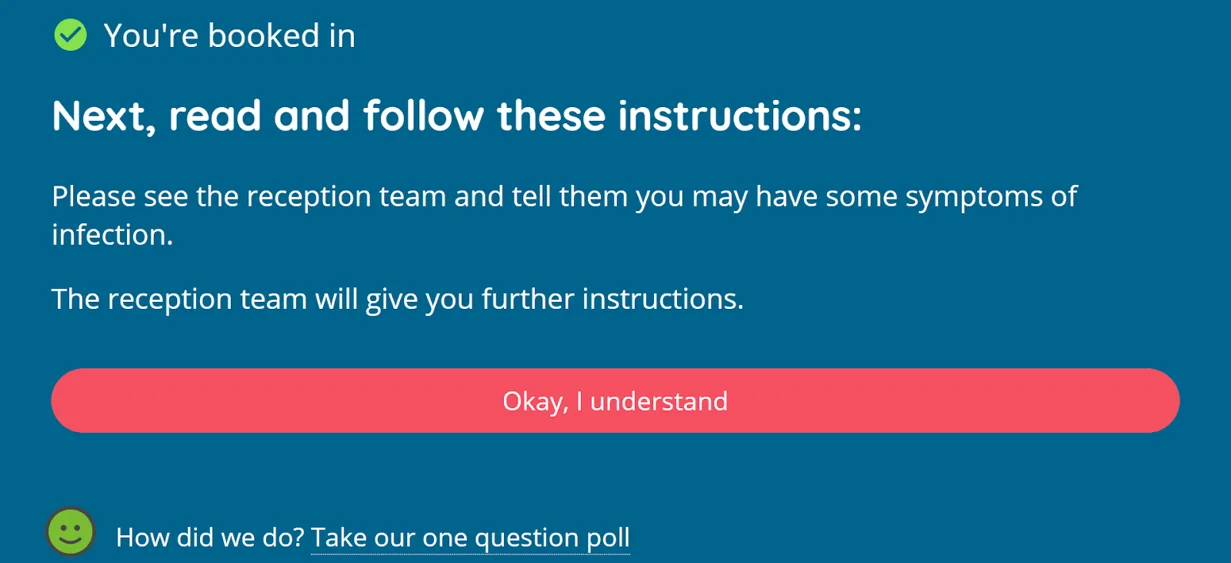
Flag to reception. If a patient selects any of the infection risk answers, they see a specific end screen that tells them to flag themselves to reception.
Your own message. In line with custom end screens, a tailored message to suit patient pathways can be written.
eTriage end screen telling the patient to see the reception team and tell them they may have some symptoms of infection

4. Highlighted for staff

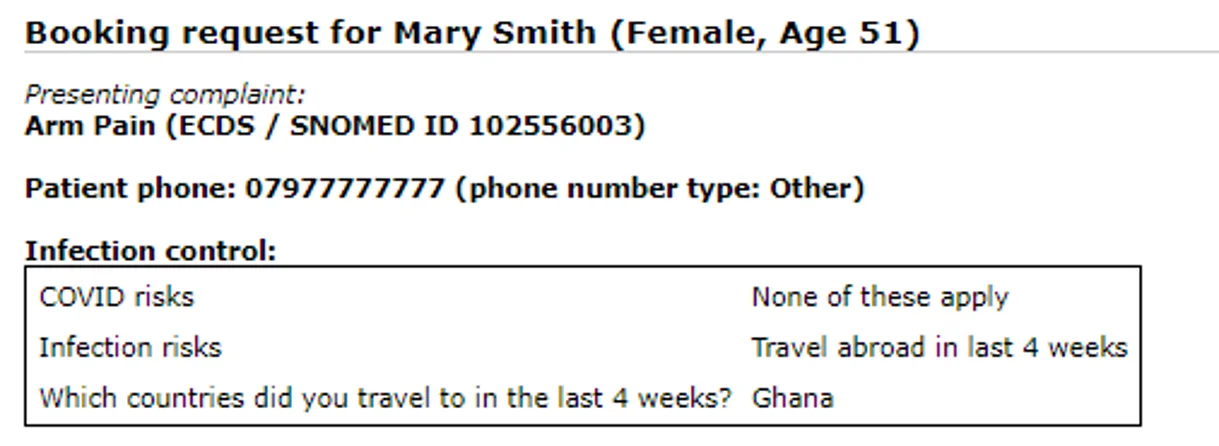
At the top of the notes. Admin staff or validating triage nurses can quickly identify which symptom of infection the patient presented with when they open the full eTriage notes in their clinical system.
Triage category unchanged. It does not affect the patient's triage category; it is simply highlighted at the top of the page.
Example eTriage booking request in the clinical system with an infection control table showing travel abroad in the last 4 weeks to Ghana

What staff do next

Staff use this information to decide where the patient should wait, depending on local and current guidelines and outbreaks.

Safe in the waiting room

Staff decide the patient is safe to sit in the waiting room.

Isolated in a side room

Staff decide the patient should be isolated in a side room.

Action as per local policy

The information reaches clinical staff promptly, so action can be taken as per local policy if necessary.